
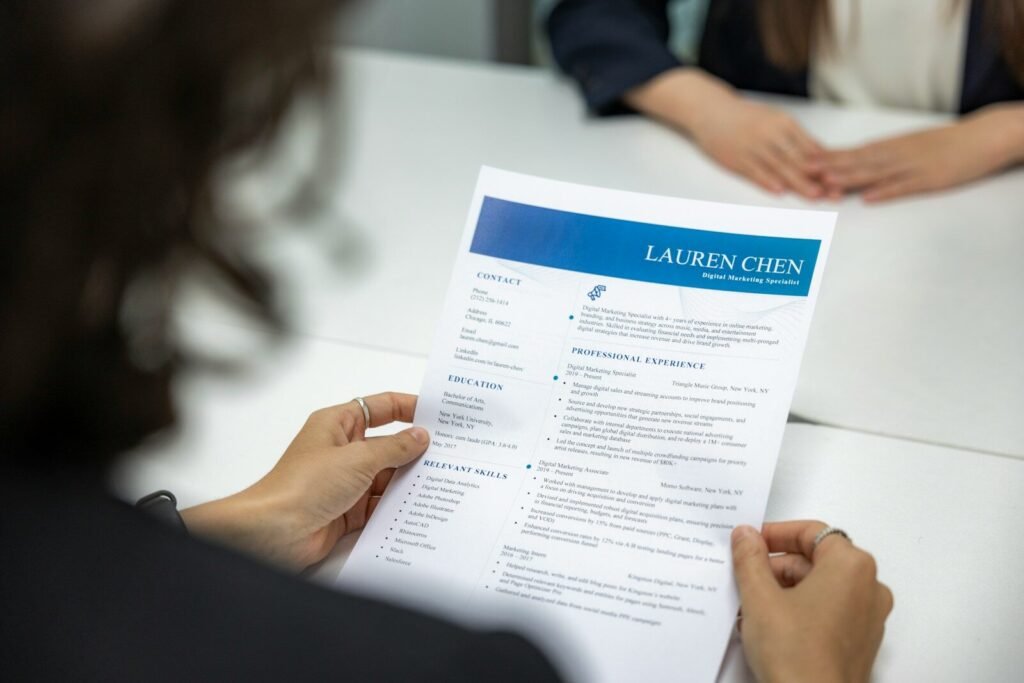
Job hunting is a full-time job in itself: tailoring resumes, writing cover letters, researching companies, and rehearsing interview answers. AI tools can take on the repetitive parts — drafting, formatting, brainstorming, and practicing — so you can spend your energy on the parts only a human can do: networking, judgment, and showing up as yourself. This guide walks through how to use AI at every stage of the search, honestly and effectively, without crossing the lines that make recruiters suspicious.
Setting Ground Rules First
Before anything else, one principle: AI should help you present your real experience more clearly, not invent experience you do not have. Fabricating jobs, skills, or degrees with AI is lying on a resume, and background checks catch it. Recruiters and hiring managers are also getting good at spotting generic, AI-flavored applications — the overly polished cover letter that could belong to anyone. Use AI as your editor and coach, keep your voice and your facts, and you will stand out for the right reasons.
Second, watch your privacy. Do not paste sensitive personal data — your address, phone number, or identification numbers — into AI tools unnecessarily. Use a redacted version of your resume (name and email only) when asking for feedback, and check each tool’s privacy settings before uploading documents.
Building a Stronger Resume With AI
A resume has one job: get you past the first screen, which is often an applicant tracking system (ATS) plus a recruiter skimming for seconds. AI can help at each step.
Drafting Bullet Points That Actually Say Something
Most resumes suffer from vague bullets: “Responsible for customer service.” Feed an AI your rough notes — what you did, for whom, with what result — and ask it to rewrite each bullet with a strong verb and a measurable outcome. “Helped customers” becomes “Resolved an average of 40 customer tickets per week, maintaining a 96% satisfaction rating.” You supply the facts; the AI supplies the phrasing. Then verify every number — AI will happily invent metrics if you let it.
Tailoring Your Resume to Each Job Post
Generic resumes get generic results. Paste a job description into an AI tool along with your resume and ask: which requirements do I already address, which keywords am I missing, and what should I emphasize for this role? This is one of the highest-value uses of AI in job hunting — it shows you exactly how to reframe the same experience for different postings. Keep a “master resume” with everything, then generate a tailored one-page version per application.
Formatting and ATS Compatibility
Fancy templates with graphics, tables, and multiple columns can confuse applicant tracking systems. Ask AI to convert your resume into a clean, single-column format with standard section headings (Summary, Experience, Education, Skills) — boring is good here. Then test it: many free resume scanners will check ATS readability. One page for early-career, two at most for experienced hires; AI can help you cut ruthlessly by ranking bullets by impact.
Cover Letters That Do Not Sound Like Templates
Cover letters matter less than they used to, but when they are read, a good one moves you forward and a bad one hurts. The classic AI failure is the interchangeable letter: “I am excited to apply for the [Role] position at [Company], where my skills in [Skills] would be a great fit.” Recruiters delete these on sight.
Instead, give the AI specifics: two or three sentences about why this company, one concrete story from your experience that matches the role, and the tone you want. Ask for a short draft — under 200 words — then rewrite it in your own voice, keeping only the structure. The rule of thumb: if you could swap another company’s name into the letter and nothing else would need to change, it is not specific enough. AI gets you from blank page to draft in minutes; your personal details make it worth reading.
Finding the Right Roles Faster
AI can also help on the search side. Use AI chatbots to brainstorm job titles you might not have considered for your skill set — people often search too narrowly. Ask it to decode job postings: “What does this posting actually require, and what would the day-to-day work look like?” Paste a posting and ask what questions to ask the hiring manager to reveal whether the role is real growth or a churn position. And use AI to draft outreach messages to people at target companies — short, specific, and human beats a mass template every time.
Interview Prep: Your Always-Available Practice Partner
This is where AI genuinely shines, because interviews reward preparation and most people under-prepare.
Mock Interviews That Feel Real
Ask an AI chatbot to act as an interviewer for a specific role and company. Give it the job description and ask it to ask one question at a time, wait for your answer, and then give feedback before moving on. This back-and-forth is far more useful than reading a list of questions. Do it by voice if your tool supports it — answering out loud is a different skill from typing answers, and it is the skill the interview tests.
Nailing the Classic Questions
For “Tell me about yourself,” draft a 60–90 second answer with AI and then rehearse it until it sounds natural, not recited. For behavioral questions (“Tell me about a time you…”), use the STAR method — Situation, Task, Action, Result — and ask AI to help you structure your stories tightly; rambling is the most common interview mistake. For “What’s your greatest weakness,” pick something real but manageable, and show what you are doing about it. AI can help you phrase it without sounding like a humble-brag.
Researching the Company
Before any interview, ask AI to summarize what the company does, its recent news, and likely interview focus areas — then verify the key facts yourself on the company’s own site. Walking in with two thoughtful questions about the company’s actual work (“I saw your team launched X last quarter — how did that change the roadmap?”) signals preparation that most candidates skip.
Handling Salary Questions
AI can help you research typical salary ranges for a role in your area and draft language for negotiating: how to answer “What are your salary expectations?” without lowballing yourself or pricing yourself out. The standard advice still holds — deflect early (“I’d like to understand the full scope first”), anchor on market data when pressed, and negotiate the whole package, not just the base number.
After the Interview: Follow-Through
Send a thank-you email within 24 hours — short, specific, referencing something from the conversation. AI can draft it, but add one genuine detail only you would know from being in the room. If you get rejected, ask AI to help you draft a gracious reply asking for feedback; some hiring managers will actually give it, and it keeps the door open. Track your applications in a simple spreadsheet: company, role, date, status, and follow-up dates. AI can even help you build the tracker.
What AI Cannot Do for You
Be honest about the limits. AI cannot network for you — referrals remain the strongest way into a company, and no chatbot replaces a real conversation with someone on the inside. It cannot fix a fundamental mismatch between your experience and a role’s requirements; if you are missing core qualifications, target roles closer to your background instead. And it cannot do the interview itself — some candidates are tempted to use AI assistance during video interviews, and getting caught destroys trust instantly. Prepare with AI, perform as yourself.
The Bottom Line
Used well, AI compresses the most tedious parts of job hunting — first drafts, tailoring, practice — from hours to minutes, and raises the quality of what you submit. The candidates who benefit most are not the ones who automate everything; they are the ones who use the time AI saves to do more of the human work: researching deeply, networking genuinely, and preparing thoroughly. Your experience is the product. AI is just better packaging.
Frequently Asked Questions
Can recruiters tell if I used AI on my resume?
They can often spot fully AI-generated, generic applications — vague language, no specifics, suspiciously perfect formatting. But AI-assisted resumes with your real facts and specific achievements read as polished, not fake. Always rewrite in your voice and verify every claim.
Should I disclose that I used AI?
For resumes and cover letters, no disclosure is expected — using writing tools is normal. But never use AI to deceive (fake experience, AI-generated portfolio work presented as yours), and follow any instructions on assessments: if a company says no AI tools on a take-home test, respect that.
Can AI help me change careers?
Yes — this is one of its best uses. Ask AI to map your existing skills to a new field, identify the gaps, suggest how to frame transferable experience, and build a learning plan. Pair it with real projects or certifications to prove the pivot.
Is it okay to practice interviews with an AI chatbot?
Absolutely. Mock interviews with AI are excellent preparation — just remember to also practice out loud and, if possible, with a real person before the big day, since human conversation has dynamics AI does not fully replicate.